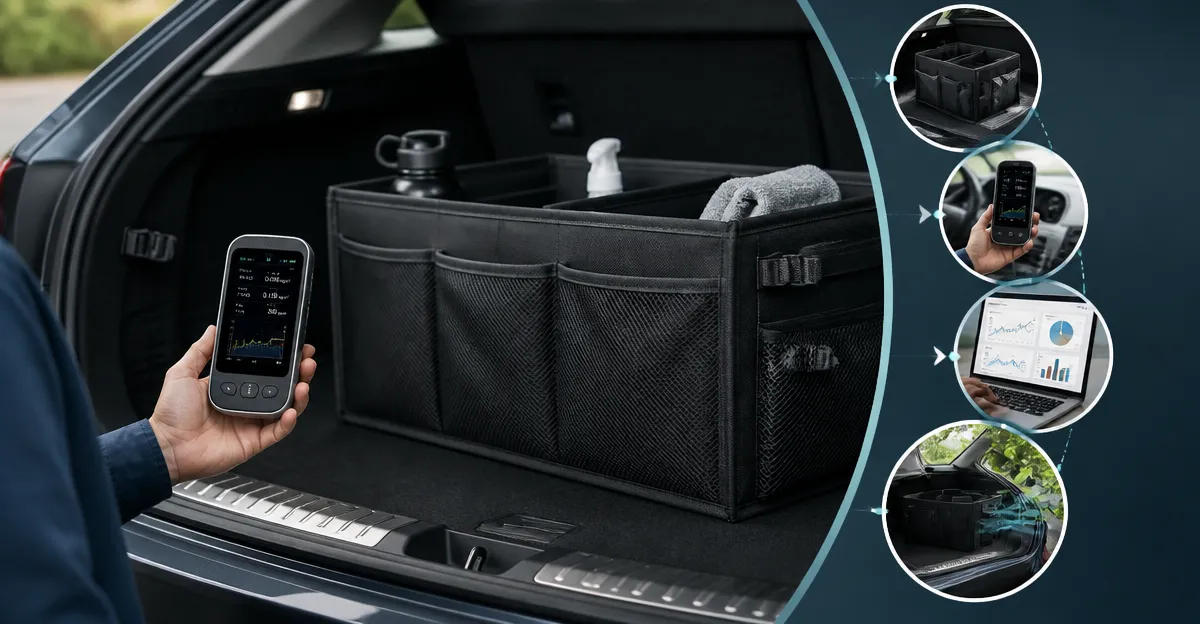
How to Test a Trunk Organizer for Off‑Gassing and VOCs: A Step‑by‑Step DIY Guide
Introduction
In this guide, one will learn how to assess a trunk organizer for off‑gassing and volatile organic compounds (VOCs) using affordable, portable air‑quality monitors. Understanding the emission profile of a new organizer can prevent unpleasant odors, respiratory irritation, and long‑term health risks. The steps described combine scientific rigor with practical household tools, enabling anyone to obtain reliable data without specialized laboratory equipment.
What You’ll Need
- Portable indoor air‑quality monitor (e.g., AQItech Portable Indoor Air Quality Monitor)
- Smartphone or tablet with internet access for app‑based data logging
- Sealable zip‑lock bags for sample containment
- Timer or stopwatch
- Notebook or digital spreadsheet for recording observations
- Optional: second monitor for cross‑verification (e.g., AIRNERGY 12‑in‑1 Indoor Air Quality Monitor)
Step 1: Prepare the Test Environment
Choose a well‑ventilated indoor space such as a garage or a large hallway where the trunk organizer can be placed without interference from external pollutants. Close windows and doors for a minimum of 30 minutes before testing to allow the ambient air to stabilise. Use a clean, flat surface and ensure that the temperature remains between 20 °C and 25 °C, as sensor accuracy can vary with extreme temperatures.
Step 2: Establish a Baseline Air‑Quality Measurement
Power on the AQItech Portable Indoor Air Quality Monitor. This 16‑in‑1 device detects PM1.0, PM2.5, PM10, CO₂, TVOC, formaldehyde (HCHO), temperature and humidity, providing a comprehensive baseline. The monitor offers a one‑button start and a double‑click mute function, making operation straightforward for beginners. Its high‑precision sensor updates data every six seconds, and the large colour display presents readings clearly. Record the initial TVOC and HCHO values for a period of ten minutes; these numbers represent the background VOC level in the testing area.
Step 3: Position the Trunk Organizer and Commence Monitoring
Place the unopened trunk organizer in the centre of the test area. If the organizer contains fabric or foam, these materials are most likely to release VOCs. Activate the monitor’s continuous logging mode (available through the device’s app or built‑in memory). Allow the monitor to record data for at least two hours, noting any spikes in TVOC or HCHO. For enhanced reliability, one may deploy a second monitor such as the AIRNERGY 12‑in‑1 Indoor Air Quality Monitor. This model includes a 7‑inch HD screen, industrial‑grade NDIR CO₂ sensor, laser‑based PM sensors, and a decibel meter, offering additional insight into noise‑related off‑gassing events. Its free 5G Wi‑Fi app enables remote data access and a 360‑day data log, which is useful for extended observation periods.
Step 4: Analyse the Collected Data
Compare the post‑placement TVOC and HCHO readings against the baseline values. An increase of more than 100 µg/m³ for TVOC or a rise of 0.05 ppm for HCHO typically indicates significant off‑gassing. Plot the data on a simple line graph to visualise trends; many monitors export CSV files that can be opened in spreadsheet software. If the VOC levels peak within the first 30 minutes and then decline, the organizer may be releasing initial curing compounds that dissipate over time. Persistent high levels suggest that the material composition is unsuitable for enclosed vehicle spaces.
Step 5: Mitigate Off‑Gassing If Necessary
Should the test reveal undesirable emissions, consider the following mitigation strategies:
- Air‑dry the organizer in direct sunlight for 24–48 hours before first use.
- Place the organizer in a well‑ventilated area for an additional week, monitoring VOC levels periodically with the same monitor.
- Use an activated‑carbon air purifier in the vehicle trunk to adsorb residual VOCs.
- If emissions remain high, replace the organizer with a product certified as low‑VOC or made from natural fibres.
Tips & Pro Tips
- Calibrate the monitor according to the manufacturer’s instructions before each testing session to ensure accuracy.
- Record ambient temperature and humidity alongside VOC data, as these factors influence sensor response.
- For faster results, perform the test in a sealed container such as a large plastic tote; this concentrates emissions and reduces background interference.
- When using multiple monitors, place them at opposite ends of the test area to detect spatial variations in off‑gassing.
- Document the brand, model, and material composition of the organizer; this information is valuable for future reference and for sharing findings with manufacturers.
Troubleshooting
Problem: The monitor displays “sensor error” after a few minutes.
Solution: Ensure the device is fully charged; the AQItech model offers up to four hours of run‑time on a single charge and fast‑charge via Type‑C cable. If the error persists, reset the device by holding the power button for ten seconds and restart the measurement.
Problem: Data appears inconsistent between two monitors.
Solution: Verify that both devices are set to the same measurement units (µg/m³ for TVOC, ppm for HCHO) and that they are positioned at similar heights from the floor.
Conclusion
By following this step‑by‑step procedure, one can confidently assess a trunk organizer for off‑gassing and VOC emissions using readily available portable air‑quality monitors. The guide equips the reader with the knowledge to establish a baseline, conduct systematic monitoring, interpret results, and implement mitigation measures when necessary. Regular testing promotes a healthier vehicle interior and informs smarter purchasing decisions.
Products Mentioned in This Guide
Frequently Asked Questions
What is off‑gassing and why does it matter for a trunk organizer?
Off‑gassing is the release of volatile organic compounds (VOCs) from materials, which can cause odors, respiratory irritation, and long‑term health risks.
Which portable air‑quality monitor is recommended for testing a trunk organizer?
The AQItech Portable Indoor Air Quality Monitor is a cost‑effective option that measures VOC levels and integrates with a smartphone app for data logging.
How long should I let a new trunk organizer sit before testing for VOCs?
Allow the organizer to acclimate for at least 24 hours in a sealed environment, then run the monitor for a minimum of 30 minutes to capture initial emissions.
Can I use zip‑lock bags to test a small section of the organizer?
Yes, placing a folded section in a sealed zip‑lock bag with the monitor inside isolates emissions and provides a quick snapshot of VOC levels.
What VOC concentration is considered safe for a trunk organizer?
Indoor air quality guidelines suggest keeping total VOCs below 500 ppb; values under this threshold are generally regarded as safe for most users.